
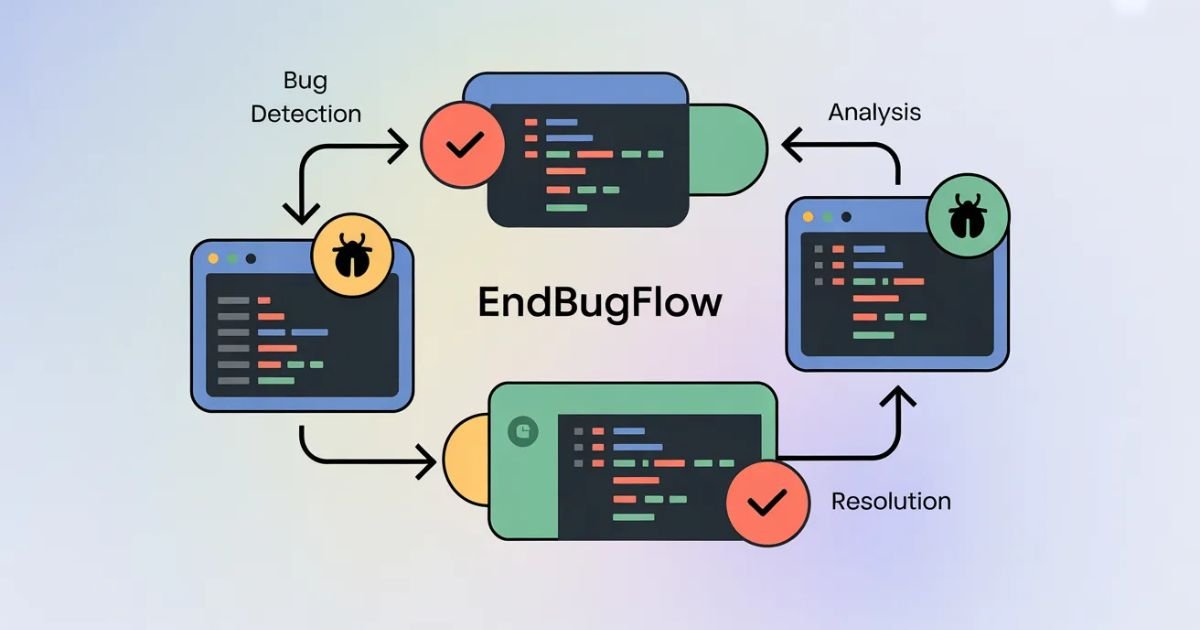

Software bugs aren’t just annoying they’re expensive. Studies show that fixing bugs after release costs up to 30 times more than catching them during development. That’s where EndBugFlow comes in. This bug tracking software transforms how teams catch, manage, and eliminate defects before they reach users.
What Is EndBugFlow and Why Do Teams Use It?
EndBugFlow is a modern issue tracking system designed specifically for Agile development workflows and DevOps bug tracking. Unlike spreadsheet-based alternatives, it’s a centralized communication platform that brings QA testers, developers, and project managers together.
Teams choose EndBugFlow because traditional methods fail spectacularly. Email chains get lost. Spreadsheets become outdated instantly. Critical bugs slip through cracks. EndBugFlow eliminates these headaches by providing real-time bug tracking dashboard capabilities and automated workflow tracking.
The platform excels at developer workload management. Instead of drowning in duplicate reports or losing track of critical security issues, teams get intelligent prioritization and clear visibility into their software issue pipeline.
How Does EndBugFlow Fit Into the Bug Lifecycle?
Understanding bug lifecycle management helps you see where EndBugFlow adds value. Every software defect follows predictable stages:
- Discovery: QA or users find something broken
- Reporting: Someone documents the issue
- Triage: Teams assess severity and priority
- Assignment: A developer takes ownership
- Resolution: Code gets fixed
- Verification: QA confirms the fix works
- Closure: The bug’s officially resolved
EndBugFlow streamlines this entire bug resolution system. It doesn’t replace your development process; it amplifies it. The software integrates seamlessly into continuous integration bug tracking pipelines and sprint bug management workflows.
How Does EndBugFlow Software Work Step by Step?
Let’s break down exactly how this defect management software operates.
Project Workspace Setup
Getting started takes minutes, not hours. You create a project workspace that mirrors your actual development structure. EndBugFlow supports multiple projects simultaneously perfect for teams juggling several products.
The project workspace setup includes:
- Defining team members and roles
- Configuring notification alerts for bugs
- Establishing custom workflows
- Setting integration points with existing tools
Smart teams link EndBugFlow to their CI/CD bug monitoring systems right away. This creates an automated bug capture pipeline that requires zero manual intervention.
Bug Reporting and Logging
Here’s where the magic starts. The bug logging system accepts reports from multiple sources QA testers, automated tests, customer support tickets, or developers themselves.
Each bug report captures essential technical bug metadata:
| Data Point | Purpose |
|---|---|
| Reproduction steps documentation | Helps developers recreate the issue |
| Screenshot bug reporting | Provides visual context |
| Environment details | OS, browser, app version |
| Expected vs. actual behavior | Clarifies the problem |
| Error logs and stack traces | Technical debugging information |
The automated bug reporting feature means less manual data entry. When your automated tests catch something, EndBugFlow logs it instantly with complete context.
Prioritization and Severity Management
Not all bugs deserve equal attention. A typo in a footer differs dramatically from a security vulnerability. The severity management system handles this intelligently.
EndBugFlow uses a four-tier severity classification:
- Critical: System crashes, data loss, security breaches
- High: Major features broken, significant user impact
- Medium: Feature works but has noticeable issues
- Low: Minor cosmetic problems, edge cases
The bug prioritization process considers multiple factors beyond severity. Customer impact, affected module, release timeline all influence which bugs get tackled first. This prevents teams from wasting time on trivial issues while critical problems fester.
Smart Assignment to Developers
Manual bug assignment wastes precious time. Who knows module X best? Who’s currently overloaded? Who fixed similar issues before?
The smart bug assignment engine answers these questions automatically. It analyzes:
- Developer expertise with specific code modules
- Current workload distribution
- Historical bug ownership tracking data
- Team capacity and availability
This developer task assignment intelligence means bugs land with the right person immediately. No more bottlenecks. No more knowledge gaps causing delays.
Workflow Tracking Through Status Stages
Transparency matters. Everyone needs visibility into the bug status workflow. EndBugFlow’s status pipeline typically includes:
New → Acknowledged → In Progress → Code Review → Testing → Verified → Closed
Each transition triggers appropriate notification alerts. Developers see what needs attention. QA knows what’s ready for verification. Managers track overall progress without micromanaging.
The workflow automation tools reduce manual status updates. When a developer commits code referencing a bug ID, EndBugFlow automatically moves that issue to “Code Review.” Integration with your version control system makes this seamless.
Analytics and Continuous Improvement
Raw data becomes actionable intelligence through EndBugFlow’s analytics engine. The bug resolution analytics reveal patterns you’d never spot manually.
Key metrics tracked:
- Average time to resolution by severity
- Defect pattern analysis across modules
- Developer performance reports (objectively, not punitively)
- Recurring bug detection
- Module risk analysis based on bug density
These software quality analytics drive proactive bug prevention. Notice module Y generates triple the bugs? Time to refactor. See security issues spiking? Implement better code reviews.
Development performance reports help teams improve sprint planning. Historical data shows how many bugs realistically get fixed per sprint, leading to more accurate commitments.
Comparison Table: EndBugFlow vs Traditional Bug Tracking
| Feature | EndBugFlow | Spreadsheets/Email |
|---|---|---|
| Real-time updates | ✅ Instant | ❌ Manual, delayed |
| Automated workflows | ✅ Full automation | ❌ Completely manual |
| Analytics dashboard | ✅ Built-in, powerful | ❌ Requires manual reports |
| Team collaboration | ✅ Centralized platform | ❌ Scattered communications |
| Integration capabilities | ✅ API, webhooks, CI/CD | ❌ Limited or none |
| Duplicate detection | ✅ Automatic | ❌ Manual checking |
| Historical tracking | ✅ Complete audit trail | ❌ Lost or incomplete |
| Mobile access | ✅ Full functionality | ❌ Poor experience |
Pros and Cons of EndBugFlow Software
Pros
Faster bug resolution becomes the norm. Teams report resolving issues 40% quicker with proper tracking versus scattered spreadsheets. The improved code quality follows naturally when teams see bug patterns clearly, they fix root causes instead of symptoms.
Release stability improvement is measurable. Companies using robust defect management software ship with significantly fewer production bugs. That means happier customers and reduced development downtime for emergency patches.
The centralized communication platform eliminates information silos. Everyone accesses the same truth. No more “I didn’t know about that bug” excuses. Development team transparency reaches new levels.
Software security monitoring improves dramatically. Critical vulnerabilities get flagged, tracked, and verified properly. Nothing falls through cracks.
Cons
There’s a learning curve initially. Teams accustomed to informal tracking need time adjusting to structured bug tracking workflow practices. Expect two weeks before the platform feels natural.
Cost matters for smaller teams. While EndBugFlow offers tremendous value, it’s an additional expense. Startups might struggle justifying the investment versus free alternatives.
Over-reliance on tools creates risks. Teams can become so dependent on automated systems they lose critical thinking skills about bug management.
Best Practices for Individual Users and Technical Teams
Best Practices for Individual Developers
Write reproduction steps documentation that your future self can follow. Assume you’ll completely forget the context within days.
Update bug statuses religiously. When you start working on something, change it to “In Progress.” Finished coding? Move it to “Code Review.” These small updates provide massive visibility.
Add meaningful comments explaining your fix approach. Future developers (possibly you) will thank you when similar issues arise.
Link related bugs together. Found three bugs with identical root causes? Connect them. This reveals systemic problems requiring architectural fixes.
Best Practices for Technical Teams
Establish clear severity definitions everyone understands. Disagreements about what constitutes “critical” versus “high” waste time and create friction.
Hold regular triage meetings using the bug tracking dashboard. Thirty minutes weekly keeps the backlog manageable and priorities aligned.
Integrate EndBugFlow into your QA testing workflow from day one. Automated test failures should create bugs automatically with complete diagnostic information.
Review bug tracking metrics monthly. Which modules generate the most defects? Where do bugs linger longest? Use this intelligence for continuous improvement.
Create templates for common bug types. Security vulnerabilities need specific information. UI bugs require screenshots. Templates ensure consistency and completeness.
FAQs About EndBugFlow Software
How does EndBugFlow integrate with existing DevOps workflows?
EndBugFlow connects seamlessly through APIs and webhooks. It integrates with popular version control systems, CI/CD pipelines, and project management tools. Most teams complete integration within hours.
Can non-technical team members use EndBugFlow effectively?
Absolutely. The interface prioritizes usability. Customer support teams, product managers, and executives access simplified views. They report bugs or check status without technical expertise.
What makes EndBugFlow different from alternatives like Jira?
EndBugFlow focuses exclusively on bug lifecycle management. This specialization means superior bug-specific features without enterprise bloat. It’s faster, simpler, and more affordable than general-purpose project management platforms.
Does EndBugFlow support Agile development workflows?
Yes, it’s built specifically for sprint bug management. You can organize bugs by sprint, track velocity, and generate burndown charts showing bug resolution progress.
How does automated bug capture actually work?
When integrated with your test automation framework, EndBugFlow receives failure notifications automatically. It creates bug reports including test output, screenshots, logs, and environment details completely hands-free.
Conclusion: Why EndBugFlow Matters for Safer, Faster Development
Modern software development demands modern bug management tools for teams. Spreadsheets and email chains can’t handle today’s complexity and speed. EndBugFlow provides the structure, automation, and intelligence development teams need.
The platform transforms bug tracking from administrative burden to strategic advantage. Teams ship safer software releases with fewer defects. Development cycles accelerate through reduced development downtime and proactive bug prevention.
Whether you’re a solo developer or managing large technical teams, EndBugFlow adapts to your needs. It scales from simple projects to enterprise deployments while maintaining the same intuitive experience.
Investing in proper issue management tools pays dividends immediately. Fewer production bugs mean happier users. Better visibility means faster development. Comprehensive analytics drive continuous quality improvements.
Don’t let preventable bugs derail your releases. Embrace modern defect tracking platforms like EndBugFlow and watch your development team collaboration reach new heights.

Admin of LCF Magazine, a general online magazine covering technology, business, finance, and lifestyle topics. Passionate about sharing informative, easy-to-read content for modern readers.Focused on delivering helpful insights, trends, and practical knowledge online.